Best Ways to Store and Manage Stock Licences Digitally
Last Tuesday a client's legal team asked your agency for proof of licence on 47 stock images used across a campaign that wrapped six months ago. The designer who sourced them left the company in March. The Shutterstock account shows a download history, but the Freepik receipts live in someone's Gmail, and the Envato invoices are buried in a shared drive nobody maintains. If that scenario sounds familiar, you already know why digital licence storage is not optional anymore.


Last Tuesday a client's legal team asked your agency for proof of licence on 47 stock images used across a campaign that wrapped six months ago. The designer who sourced them left the company in March. The Shutterstock account shows a download history, but the Freepik receipts live in someone's Gmail, and the Envato invoices are buried in a shared drive nobody maintains. If that scenario sounds familiar, you already know why digital licence storage is not optional anymore.
Photo by Hyundai Motor Group from Pexels
TL;DR:- Build a centralized digital repository (cloud-based, not local drives) where every stock licence certificate is stored with consistent naming and metadata.
- Use a document management system or structured cloud folder hierarchy with role-based access so the whole team can retrieve proof in minutes.
- Automate ingestion where possible with tools like Licence Downloader to bulk-pull certificates from Freepik, Shutterstock, Adobe Stock, Envato, iStock, and Canva into one archive.
Why digital storage matters for agencies
Agencies purchase hundreds of stock assets every month across multiple platforms and multiple team members. When licence records live in individual email inboxes, browser bookmark folders, or scattered desktop PDFs, you have zero single source of truth. That creates three concrete risks:
- Audit failure. A client or their legal counsel requests documentation. You cannot produce it within the contractual window. The agency absorbs liability.
- Copyright claims. A rights holder (or a copyright troll) sends a takedown notice. Without instant access to the licence certificate, your response time stretches from hours to weeks.
- Knowledge loss. Staff turnover means the person who downloaded the asset and "knew where the receipt was" is gone. The licence proof goes with them.
Digital storage eliminates all three. A well-structured system turns a fire drill into a five-minute lookup.

Top software options for licence management
Not every tool fits every agency. The right choice depends on team size, budget, and how many platforms you source from. Here are the main categories:
Cloud storage with structured folders
Google Drive, Dropbox Business, and OneDrive for Business all work as a baseline. You create a folder hierarchy (by client, by platform, by year) and enforce naming conventions. Cost is low. The downside: everything is manual unless you layer automation on top.
Document management systems (DMS)
Tools like SharePoint, Notion databases, Airtable, and Coda let you attach metadata to each licence file: platform, asset ID, purchase date, licence type, project association. This makes searching and filtering fast. Airtable, for example, lets you build a view that shows all Shutterstock licences expiring this quarter.
Dedicated asset management platforms
Bynder, Brandfolder, and Canto are digital asset management (DAM) tools built for creative teams. They store the assets themselves alongside metadata. Some support attaching licence documents directly to the asset record. The cost is higher, but for agencies managing thousands of assets, the ROI is clear.
"As many as 45.1% of industry professionals say their business is investing in warehouse automation.">, How Inventory Management for Small Business is Going Digital
That trend toward digital automation applies directly to licence management. The agencies investing in structured systems now are the ones that will pass audits without breaking a sweat.
| Feature | Cloud Folders | DMS (Notion/Airtable) | DAM (Bynder/Canto) |
|---|---|---|---|
| Setup cost | Low | Low-Medium | High |
| Metadata search | Limited | Strong | Strong |
| Role-based access | Yes | Yes | Yes |
| Asset preview | No | Partial | Full |
| Licence-to-asset linking | Manual | Manual/Linked | Native |
| Best for | Small teams (<10) | Mid-size agencies | Large agencies (30+) |
How to set up a centralized repository
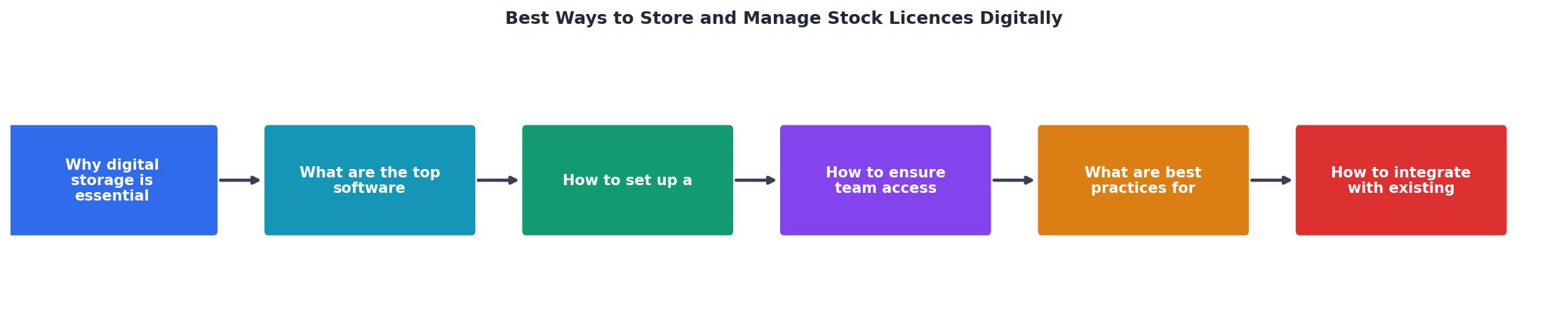
Follow these steps to go from scattered files to a single, searchable archive. The diagram above shows the flow at a glance: Choose Platform, Define Structure, Set Naming Rules, Import Licences, Assign Access, Schedule Audits.
Step 1: Choose your platform. Pick one of the three categories above based on your team size and budget. For most agencies between 10 and 40 people, a DMS like Airtable or Notion paired with cloud storage gives the best balance of cost and functionality.
Step 2: Define your folder or database structure. A proven hierarchy looks like this:
/Stock Licences
  /[Platform Name]        (e.g., Shutterstock, Adobe Stock, Freepik)
    /[Year]
      /[Quarter or Month]
        licence-certificate-[assetID].pdf
If you use a database tool, create fields for: Platform, Asset ID, Licence Type (Standard, Extended, Editorial), Purchase Date, Expiry Date (if applicable), Purchaser, Client/Project, and File Attachment.
Step 3: Set naming conventions. Consistency is everything. A file named shutterstock_1234567890_standard_2026-06.pdf is instantly identifiable. A file named licence(3).pdf is not.
Step 4: Bulk-import existing licences. This is where most agencies stall. Going platform by platform, logging in, finding each certificate, downloading it, renaming it, and uploading it to the repository takes hours. Tools like Licence Downloader exist specifically to solve this: connect your accounts, bulk-pull all licence certificates, and export them in a structured format ready for your repository.
Step 5: Assign access and permissions. More on this in the next section.
Step 6: Schedule recurring audits. Set a calendar reminder (monthly or quarterly) to verify that new purchases have been logged and that no gaps exist.

Ensure team access and security
A centralized repository is useless if half the team cannot reach it, or if everyone has admin-level delete permissions. Here is how to balance access with security:
- Role-based access control (RBAC). Designers get read access to download certificates when clients ask. The ops lead and account managers get write access to upload new ones. Only one or two admins can delete or restructure.
- Two-factor authentication (2FA). Enable it on whatever platform hosts your repository. Google Workspace, Dropbox Business, and SharePoint all support it. A single compromised password should not expose your entire licence archive.
- Audit logs. Choose a platform that tracks who accessed, downloaded, or modified files. Google Drive and SharePoint both provide this natively. If a dispute arises, you can prove the certificate was in the system before the claim date.
- Offboarding protocol. When a team member leaves, transfer ownership of any licences purchased under their individual account to the agency's shared account. Remove their repository access on their last day, not three weeks later.
licences@youragency.com) that receives purchase confirmation emails from all stock platforms. Forward rules route receipts to a single inbox, making it harder for certificates to slip through the cracks.That statistic is a reminder: the biggest security risk is not your cloud provider. It is people forgetting to follow the process. Automate what you can, and make the manual steps as simple as possible.
Best practices for maintaining the system
Setting up the repository is the easy part. Keeping it accurate over months and years is where agencies fail. These practices prevent decay:
- Make it part of the purchase workflow. Every time someone downloads a stock asset, the licence certificate goes into the repository before the asset goes into the project file. No exceptions.
- Tag by client and project. When a client relationship ends or a project wraps, you can quickly export all associated licences for the handoff package.
- Review expiring licences quarterly. Some extended licences or subscription-based access have expiry dates. A quarterly review catches renewals before they lapse.
- Deduplicate. The same asset purchased twice (by two different team members, or for two different clients) should have both licence records stored, not just one. Each purchase is a separate legal proof.
- Back up. Even cloud storage can fail. Export a quarterly backup of your licence archive to a separate location. A simple ZIP download to a secondary cloud account works.
📊 Example: Agency Licence Repository Health
The goal is to keep that completeness bar above 95%. Anything below means certificates are slipping through.

Integrate with existing workflows
A licence management system that lives outside your team's daily workflow will be ignored within a month. Integration is what makes it stick.
Connect to your project management tool
If your agency runs on Asana, Monday.com, ClickUp, or Jira, add a licence verification step to your creative production workflow. A simple subtask: "Upload licence certificate to repository" attached to every asset-sourcing task. It takes 30 seconds when done at the point of purchase. It takes 30 minutes when done retroactively.
Automate with Zapier or Make
Set up a Zap or Make scenario that triggers when a new file lands in your stock licence email inbox. The automation extracts the attachment, renames it according to your convention, and uploads it to the correct folder in Google Drive or Dropbox. Zero manual effort after initial setup.
Link licences to creative briefs
In your DAM or DMS, create a relational link between the licence record and the project brief or client folder. When someone opens the brief for "Client X Q2 Campaign," they see every asset used and can click through to each licence. This is the level of traceability that impresses clients during audits.
Onboarding and training
New hires and freelancers need a 10-minute walkthrough of the system on day one. Document the process in a one-page guide (or a Loom video) and pin it in your team's Slack channel. The system only works if everyone uses it.
Digital Licence Management Setup Guide
Your progress is saved automatically in your browser.
FAQ
Frequently Asked Questions
Additional Resources
- How Inventory Management for Small Business is Going ... - The most effective digital inventory management system for small business is dedicated software. Finale Inventory is the perfect solution to ...
- How to Manage Stock Photos in Your DAM System - Effectively manage stock photos for your business using these digital asset management (DAM) tips for copyright licenses, user permissions, metadata, and more.
- 8 Best Practices for Successful Software License ... - Document and standardize your procurement processes · Clean up and organize your license inventory · Catalog your software · Inventory all of your ...
Need to Download Your Licences?
Save hours of manual work. We download all your stock photo licence certificates for you.
Get Started“Thanks to LicenceDownloader.com, I was able to download more than 1,000 Freepik licences and receive them all at once via ZIP.”
Marlon Mainardy