Tools for Managing Depositphotos Licences in Agencies
Agencies download hundreds of Depositphotos assets every month across multiple client accounts, team seats, and freelancer logins. When a client's legal team asks for proof of licence six months later, nobody remembers who downloaded what or where the certificate ended up. The right management tools turn that fire drill into a five-minute lookup. This guide covers exactly which tools exist, what features matter, and how to roll them out without disrupting your production workflow.

Agencies download hundreds of Depositphotos assets every month across multiple client accounts, team seats, and freelancer logins. When a client's legal team asks for proof of licence six months later, nobody remembers who downloaded what or where the certificate ended up. The right management tools turn that fire drill into a five-minute lookup. This guide covers exactly which tools exist, what features matter, and how to roll them out without disrupting your production workflow.
Photo by Daniil Komov from Pexels
TL;DR:- Depositphotos licence management requires tools that track downloads, store certificates, automate renewals, and generate compliance reports.
- Agencies should evaluate tools based on bulk-export capability, multi-seat support, and integration with existing DAM systems.
- Combining a dedicated licence downloader with a DAM platform eliminates scattered records and cuts audit response time from days to minutes.
Why Licence Management Tools Matter
Stock image licences are legal contracts. Every Depositphotos asset your team uses carries specific usage rights tied to a specific account, subscription tier, and download date. Lose that paper trail and you lose your defence against a copyright claim.
Manual tracking breaks down fast. A spreadsheet works when you download ten images a month. At fifty or a hundred, cells get skipped, links rot, and nobody updates the sheet after a late-night deadline push. The cost of a single copyright dispute easily exceeds a year of tooling expenses.
Three problems drive the need for dedicated tools:
- Multi-platform sprawl - Most agencies use Depositphotos alongside Shutterstock, Adobe Stock, and others. Licences live in different dashboards with different export formats.
- Team turnover - When a designer leaves, their download history and licence knowledge leave too.
- Client audit requests - Legal teams want proof fast. "Let me check" is not an acceptable answer when a takedown notice arrives.

Key Features to Look For
Not every tool solves the same problem. Some focus on digital asset management broadly, others specialize in licence compliance. Here is what actually matters for Depositphotos licence management at agency scale:
- Bulk licence export - The tool should pull licence certificates for dozens or hundreds of assets in one operation, not one at a time.
- Multi-seat tracking - It needs to associate each download with a specific user, client project, and date.
- Automated renewal alerts - Subscription-based licences expire. The tool should flag upcoming renewals before gaps appear.
- Compliance reporting - Generate a report showing every asset, its licence type (Standard vs. Extended), and current status.
- Platform integration - Direct connection to Depositphotos plus other stock platforms your agency uses.
- Search and retrieval - Find any licence certificate by image ID, project name, client, or date range within seconds.
How to Evaluate Management Tools

Picking the right tool requires matching your agency's specific workflow to the tool's strengths. Run each candidate through these evaluation criteria:
- Volume capacity - How many assets can it handle per month? Test with your actual monthly download count, not the vendor's demo dataset.
- Platform coverage - Does it support Depositphotos natively, or only through manual CSV import? Native support saves hours.
- User permissions - Can you set read-only access for clients and full access for producers? Role-based access prevents accidental deletions.
- Export formats - Does it export compliance reports as PDF, CSV, or both? Your legal team has preferences.
- Pricing model - Per-seat, per-asset, or flat rate? Agencies with fluctuating team sizes need flexible pricing.
- API availability - If you run custom project management tools, an API lets you pull licence data into your existing systems.
"Bynder has been recognized as a Leader in the 2023 Gartner® Magic Quadrant™ for Digital Asset Management.">, Top 8 Tools for Managing Website Image Licenses
Enterprise DAM platforms like Bynder and Canto handle asset organization well but often lack granular stock licence tracking. Specialized tools like licencedownloader.com fill that gap by focusing specifically on bulk licence certificate retrieval across stock platforms including Depositphotos.
Real Agency Scenarios
A 25-person marketing agency running campaigns for retail clients typically downloads 200+ Depositphotos images monthly. Before implementing licence management tools, their compliance workflow looked like this: a producer would email the designer, the designer would log into Depositphotos, screenshot the licence page, and email it back. That process took 10-15 minutes per asset.
After adopting a combination of a DAM system for asset organization and a licence downloader for certificate retrieval, the same agency reduced per-asset compliance time to under one minute. The producer runs a bulk export, certificates get tagged to projects automatically, and client audit requests get answered the same day.
Another scenario: a boutique design studio with five designers sharing a single Depositphotos Enterprise subscription. Each designer downloads assets independently. Without tracking, nobody knows which assets belong to which client project. A licence management tool with multi-user tracking solved this by logging every download with the designer's name, the project code, and the timestamp.
Implementation Steps
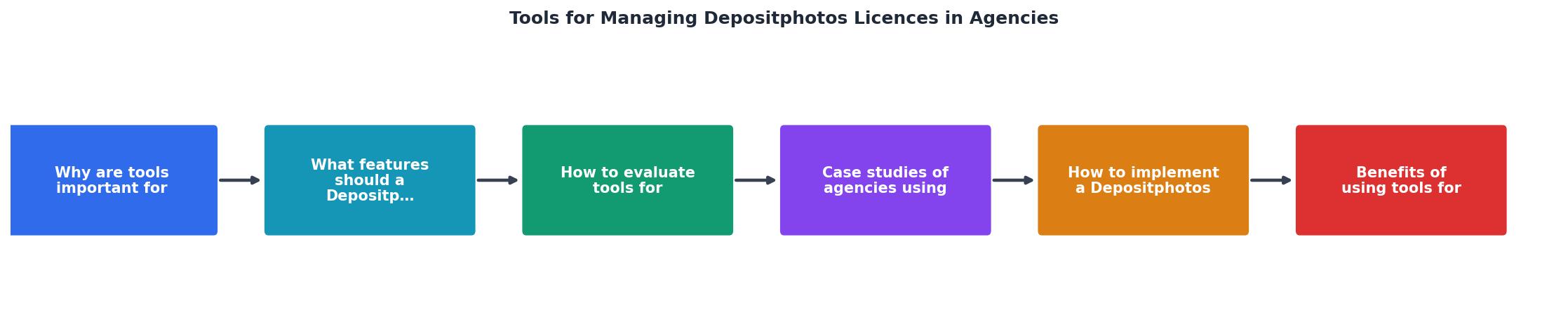
Rolling out a licence management tool does not require a six-month IT project. Follow these steps:
- Audit current state - List every Depositphotos account, subscription tier, and team member with access. Count your monthly download volume.
- Select tool - Match your audit findings to the evaluation criteria above. Request trials from two or three candidates.
- Migrate existing records - Export your Depositphotos download history and import it into the new tool. Most platforms support CSV import for historical data.
- Configure workflows - Set up automatic tagging rules (by client, project, or campaign), renewal alerts, and user permissions.
- Train the team - Run a 30-minute walkthrough. Focus on the daily workflow: download asset, confirm licence is captured, tag to project.
- Schedule regular audits - Monthly or quarterly, run a compliance report and verify no gaps exist.
The following interactive card shows what a typical agency licence management dashboard tracks after implementation:
Depositphotos Licence Dashboard
Benefits for Agencies

The return on investment shows up in three areas:
Risk reduction - Every licence certificate stored and tagged is one fewer potential legal dispute. Copyright claims against agencies using Depositphotos assets without proof of licence can result in damages ranging from hundreds to thousands of dollars per image.
Time savings - Bulk licence retrieval replaces manual screenshot-and-email workflows. A tool like Licence Downloader handles certificate export across platforms in minutes instead of hours.
Client confidence - Agencies that can produce licence documentation on demand win trust. Some enterprise clients now require proof of stock licence compliance as part of their vendor onboarding process.
| Manual Process | Tool-Assisted Process |
|---|---|
| 10-15 min per licence lookup | Under 1 min per licence |
| Spreadsheet tracking, error-prone | Automated logging, searchable |
| No renewal alerts | Proactive renewal notifications |
| Audit response: days | Audit response: same day |
| Knowledge lost with staff turnover | Centralized, persistent records |
Depositphotos Licence Management Tool Rollout
Your progress is saved automatically in your browser.
FAQ
Frequently Asked Questions
What licence management challenge has caused the biggest headache at your agency? Share your experience so others can learn from it.
Additional Resources
- Top 8 Tools for Managing Website Image Licenses - Modern tools like PicDefense.io make it easier than ever to stay compliant, track licenses, and protect your website from avoidable risks.
- Business Plan Breakdown: Flexible Visual Solutions - Let's take a close look at Depositphotos' Business Plan! Get access to licensed audiovisual files to stay on top of trends and competition.
- How to Manage Stock Photos in Your DAM System - Effectively manage stock photos for your business using these digital asset management (DAM) tips for copyright licenses, user permissions, metadata, and more.
Need to Download Your Licences?
Save hours of manual work. We download all your stock photo licence certificates for you.
Get Started“Thanks to LicenceDownloader.com, I was able to download more than 1,000 Freepik licences and receive them all at once via ZIP.”
Marlon Mainardy