Tracking Licence Expiration Across Multiple Platforms
Your agency uses Shutterstock for hero images, Adobe Stock for video clips, Freepik for social templates, and Envato Elements for motion graphics. Each platform has its own renewal cycle, its own licence terms, and its own buried expiration dates. When one of those licences lapses and nobody notices, the next client audit turns into a fire drill that costs real money and real trust. This guide walks through concrete systems for tracking every expiration date across every platform so compliance stays airtight and workflows never stall.


Your agency uses Shutterstock for hero images, Adobe Stock for video clips, Freepik for social templates, and Envato Elements for motion graphics. Each platform has its own renewal cycle, its own licence terms, and its own buried expiration dates. When one of those licences lapses and nobody notices, the next client audit turns into a fire drill that costs real money and real trust. This guide walks through concrete systems for tracking every expiration date across every platform so compliance stays airtight and workflows never stall.
Photo by Yan Krukau from Pexels
TL;DR:- Build a centralized tracking board in Trello, Asana, or Notion with one card per licence, tagged by platform and client.
- Set calendar reminders at 60, 30, and 7 days before each expiration date.
- Automate email and Slack alerts using built-in automations (Butler, Asana Rules) so no renewal slips through the cracks.
- Use Licence Downloader to bulk-pull proof-of-licence certificates before and after each renewal, keeping your archive audit-ready at all times.
Why expired licences cost more than you think
A single expired stock licence does not just mean a missing image. It means your agency used a copyrighted asset without valid authorization for every day between the lapse and the fix. That gap creates legal exposure. Clients who discover it lose confidence. Platforms that detect it can revoke access retroactively.
The operational cost compounds fast. A designer keeps working with an asset they assume is covered. The project ships. Three months later, a rights holder sends a takedown notice. Now you are pulling finished deliverables, sourcing replacements, and explaining the situation to a client whose legal team is already drafting questions.
"Managing employee licenses is a critical task that goes beyond simple organization: it's a key component of maintaining compliance, protecting your organization, and ensuring operational efficiency.">, Tracking License Renewals and Expirations: How License Verification Software Can
Tracking expiration dates is not busywork. It is risk management with a direct line to revenue protection.

Pick the right tracking tool
Not every project management tool handles date-driven tracking equally well. Here is what matters for licence expiration specifically:
- Due-date fields with calendar views so you see upcoming expirations on a timeline, not buried in a list.
- Custom fields for platform name, client, licence type (standard vs. extended), and seat holder.
- Automation rules that fire notifications without manual intervention.
- Team visibility so producers, designers, and account managers all see the same data.
| Feature | Trello (+ Butler) | Asana | Notion |
|---|---|---|---|
| Calendar view | Yes (Power-Up) | Yes (native) | Yes (database view) |
| Custom fields | Yes (free tier limited) | Yes | Yes (flexible) |
| Automation | Butler rules | Asana Rules | Buttons + formulas |
| Slack integration | Yes | Yes | Yes |
| Email alerts | Yes | Yes | Limited |
| Best for | Small teams, visual boards | Mid-size agencies, workflows | Teams wanting a wiki + tracker |
Trello works well for agencies under 20 people who want a visual Kanban-style board. Asana scales better when you need multi-step approval workflows. Notion fits teams that want their licence tracker embedded alongside project wikis and SOPs.
Set up a licence tracking board

Here is a step-by-step walkthrough using Trello, though the logic applies to any tool.
Step 1: Create the board. Name it something unambiguous like "Licence Expirations." Add lists for each status: Active, Expiring Soon (30 days), Renewal In Progress, Renewed, and Expired / Archived.
Step 2: Create one card per licence. Each card represents a single platform subscription or licence agreement. Title format: [Platform] - [Client or Internal] - [Licence Type]. Example: Shutterstock - Acme Corp - Standard Annual.
- Expiration date (date field, used for calendar view and automations)
- Platform (dropdown: Shutterstock, Adobe Stock, Freepik, Envato, iStock, Canva, Other)
- Client (text or dropdown)
- Seat holder (the team member whose account holds the licence)
- Renewal cost (number field, helps with budget forecasting)
Step 5: Enable the Calendar Power-Up. Switch to calendar view. Every card with a due date now appears on the timeline. Expirations cluster visually, making it obvious when multiple renewals hit the same week.
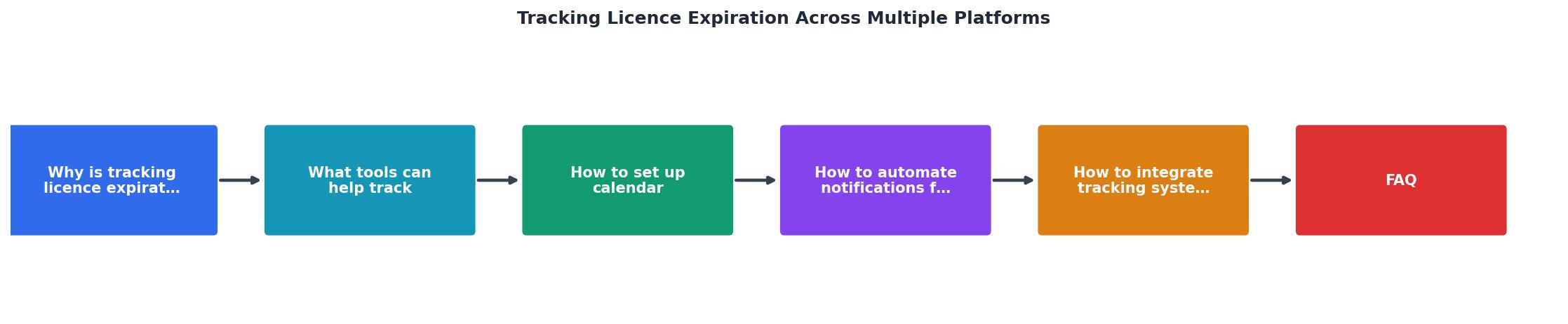
The following diagram shows how these steps connect into a repeatable workflow:
Calendar reminders that actually work
A due date on a Trello card is useless if nobody looks at the board. Calendar integration solves this.
Google Calendar sync: Trello's Calendar Power-Up generates an iCal feed URL. Add it to Google Calendar (Settings > Add calendar > From URL). Every card due date appears as an all-day event. Google Calendar then handles native reminders at whatever intervals you set.
Outlook integration: The same iCal URL works in Outlook. Go to File > Account Settings > Internet Calendars > New, paste the URL, and set a refresh interval of 1 hour.
Recommended reminder schedule:- 60 days before expiration: Budget review. Confirm renewal is approved and funded.
- 30 days before expiration: Initiate renewal. Assign the task to the seat holder.
- 7 days before expiration: Final check. Verify payment processed and new certificate is downloaded.
- Day of expiration: Confirm renewal completed. Move card to
Renewedlist.
Teams that use a three-stage reminder schedule close renewals on time at significantly higher rates than teams relying on a single "expiring soon" email from the platform itself. Platform emails land in spam folders, get buried under newsletters, or arrive too late to act on.
Automate alerts with Butler and Asana Rules

Manual reminders depend on someone remembering to set them. Automation removes that dependency.
Trello Butler automation example:
Create a Butler rule with this logic:- Trigger: When a card's due date is within 30 days.
- Action 1: Move the card to the
Expiring Soon (30 days)list. - Action 2: Add the
@ops-leadmember to the card. - Action 3: Post a comment: "This licence expires in 30 days. Please initiate renewal."
- Trigger: When a card's due date is within 7 days.
- Action: Send an email notification to all card members with subject "URGENT: Licence expiring in 7 days."
- Trigger: Due date is approaching (custom: 30 days).
- Action: Assign to project lead, set priority to High, add to "Renewals" section.
Slack integration for team-wide visibility:
Both Trello and Asana offer native Slack integrations. Route expiration alerts to a dedicated #licence-renewals channel. This creates a shared audit trail and ensures the alert reaches people even if they skip their email.
Here is an example of what an automated alert dashboard might look like for a mid-size agency managing licences across five platforms:
Licence Expiration Dashboard (Example)
Integrate tracking with email workflows
Email remains the fallback channel when Slack is muted and calendars are ignored. A well-configured email integration ensures critical expiration alerts reach the right inboxes.
Trello email-to-board: Each Trello board has a unique email address. Forward platform renewal confirmation emails directly to the board. Trello creates a new card from the email content, which you then tag and schedule.
Asana email integration: Forward emails to Asana using x@mail.asana.com (where x is your project-specific address). The email becomes a task. Add the due date and custom fields manually or via a rule that parses the subject line.
Zapier or Make (Integromat) for advanced routing:
For agencies managing 10+ platform subscriptions, a Zapier workflow can:- Watch a shared Gmail label (e.g., "Licence Renewals").
- Parse the email for platform name and date.
- Create or update a Trello card / Asana task automatically.
- Send a formatted Slack message to
#licence-renewals.
Multiply that six minutes by 20 platform subscriptions across 8 clients, and you are looking at hours of admin work each quarter. Automation cuts that to near zero.
Scale tracking across multiple clients
Agency life means managing licences not just for your own accounts but for client-owned subscriptions too. Each client may have their own Shutterstock team plan or Adobe Stock allocation.
Tagging strategy: Use a consistent client tag on every card or task. In Trello, use colored labels. In Asana, use a "Client" custom field dropdown. In Notion, use a relation to a Clients database.
Separate views, single board: Keep all licences on one board but create filtered views per client. When a client's legal team requests documentation, filter by their tag and export. Everything they need is in one place.
Onboarding new clients: Add a licence intake step to your client onboarding checklist. Collect platform names, account holders, subscription types, and expiration dates on day one. Populate the tracking board immediately. Waiting until "later" means it never happens.
Offboarding: When a client leaves, archive their cards but do not delete them. You may need proof of valid licensing for assets used during the engagement, even years later.
Licence Expiration Tracking Setup Checklist
Your progress is saved automatically in your browser.
FAQ
Frequently Asked Questions
What is the biggest challenge your team faces when tracking licence renewals across platforms? Share your approach below.
Additional Resources
- Tracking License Renewals and Expirations - All license data is stored in a single platform, making it easy to access, update, and verify certifications. This simplifies audits and ensures ...
- Software License Tracking for Compliance and Efficiency - Expiration Reminder helps you maintain compliance by automating the tracking of credentials, licenses, and certifications. Our platform sends customizable ...
- Preventing Regulatory Fines:Guide to License Tracking - Centralized license tracking is a system that stores all license records, expiration dates, owners, and renewal documentation in one platform.
Need to Download Your Licences?
Save hours of manual work. We download all your stock photo licence certificates for you.
Get Started“Thanks to LicenceDownloader.com, I was able to download more than 1,000 Freepik licences and receive them all at once via ZIP.”
Marlon Mainardy