Verifying Legal Protection for iStock Image Use
You downloaded an iStock image six months ago for a client project. Now their legal team wants proof you had the right to use it. You dig through your email, check your iStock account, and realize the download history page looks nothing like a licence certificate. This guide walks through every step of verifying, interpreting, and documenting your iStock licence so you never scramble for proof again.

You downloaded an iStock image six months ago for a client project. Now their legal team wants proof you had the right to use it. You dig through your email, check your iStock account, and realize the download history page looks nothing like a licence certificate. This guide walks through every step of verifying, interpreting, and documenting your iStock licence so you never scramble for proof again.
Photo by Nika Poznyak from Pexels
TL;DR:- Access your iStock licence agreement through your account's download history and the Content Licence Agreement page on the iStock website.
- Verify usage rights by matching your licence type (Standard vs. Extended) against your actual use case: print runs, digital ads, merchandise, and editorial restrictions.
- Document every licence proof with the image ID, licence type, purchase date, and a PDF or screenshot of the agreement, stored alongside your project files.
- Use a repeatable checklist to stay compliant across every project without burning billable hours.
Why licence verification matters
Stock image disputes cost real money. A single copyright claim on a Facebook ad or client deliverable can trigger takedown notices, platform penalties, and awkward conversations with clients who trusted you to handle the legal side. iStock operates under Getty Images, and Getty has one of the most active enforcement teams in the stock photography industry.
The fix is straightforward: verify your licence covers the intended use, then store proof where you can find it in thirty seconds. That process takes five minutes per image when you know where to look. Across a portfolio of dozens or hundreds of assets, a systematic approach saves hours every quarter.
Access iStock licence agreements

iStock stores licence information in two places, and you need both.
Download history
- Log in to your iStock account at istockphoto.com.
- Click your profile icon in the top-right corner.
- Select Download history from the dropdown menu.
- Each downloaded file shows the image ID, download date, licence type (Standard or Extended), and the resolution you selected.
Content Licence Agreement
The actual legal terms live in the Content Licence Agreement (CLA), accessible from the footer of any iStock page under "Legal" or directly at the Getty Images licence information section. This document defines:
- Standard licence scope and restrictions
- Extended licence additional permissions
- Editorial-only content rules
- Prohibited uses (no resale of the file itself, no use in trademarks without Extended, etc.)
Subscription vs. credit pack purchases
If you buy through an iStock subscription plan, your download history tracks each pull against your monthly allocation. Credit pack purchases show the credit cost per image. Both grant the same Standard licence unless you explicitly purchased an Extended licence at checkout. The licence type, not the payment method, determines your rights.
Interpret your usage rights

Knowing where the licence lives is step one. Understanding what it actually allows is where most freelancers trip up.
Standard licence basics
The iStock Standard licence covers the majority of common design work:
- Digital use: websites, social media posts, email newsletters, digital ads, mobile apps
- Print use: brochures, flyers, posters, packaging, and print ads up to 500,000 copies
- Presentations: pitch decks, internal documents, client presentations
- One seat: the licence is granted to the individual or single entity that purchased it
Extended licence additions
The Extended licence unlocks uses that the Standard does not:
- Print runs exceeding 500,000 copies
- Merchandise and products for resale (t-shirts, mugs, posters sold as products)
- Templates and digital products for resale (website themes, social media templates)
Editorial content restrictions
Images marked Editorial use only on iStock cannot be used in advertising, promotional materials, or any commercial context. They are restricted to news, commentary, education, and documentary purposes. This label appears on the image detail page before download. Ignoring it is one of the fastest ways to receive a cease-and-desist letter.
| Standard Licence | Extended Licence |
|---|---|
| Digital ads, social, web | All Standard uses plus... |
| Print up to 500K copies | Unlimited print runs |
| Merchandise and products for resale | |
| Templates and digital products | |
| Single seat | Single seat |
Document your licence proofs

A licence you cannot produce on demand is a licence that does not protect you. Here is a concrete documentation workflow.
What to capture per image
For every iStock image you use in a project, record:
- iStock Image ID (the numeric identifier on the image page)
- Licence type (Standard or Extended)
- Purchase/download date
- Account holder name (the person or entity on the iStock account)
- Project name where the image is used
- Screenshot or PDF of the download history entry
- Snapshot of the CLA that was active at purchase time
Where to store it
Create a folder structure that mirrors your project workflow:
/Projects
  /ClientName-ProjectName
    /assets
      /licences
        istock-123456789-standard-2026-06-15.pdf
        istock-987654321-extended-2026-06-20.pdf
Keep a backup copy in cloud storage (Google Drive, Dropbox, OneDrive). If your local drive fails, the licence proof needs to survive.
Scaling with a tool
When you handle dozens of images per month across iStock, Shutterstock, Adobe Stock, and Freepik, manual screenshots stop being practical. A tool like licencedownloader.com can bulk-pull licence certificates from multiple platforms into a single archive, saving you the repetitive login-screenshot-rename-file cycle.
Verification process overview
This diagram shows the full flow from download to documented proof. Each step label matches the actions described above.
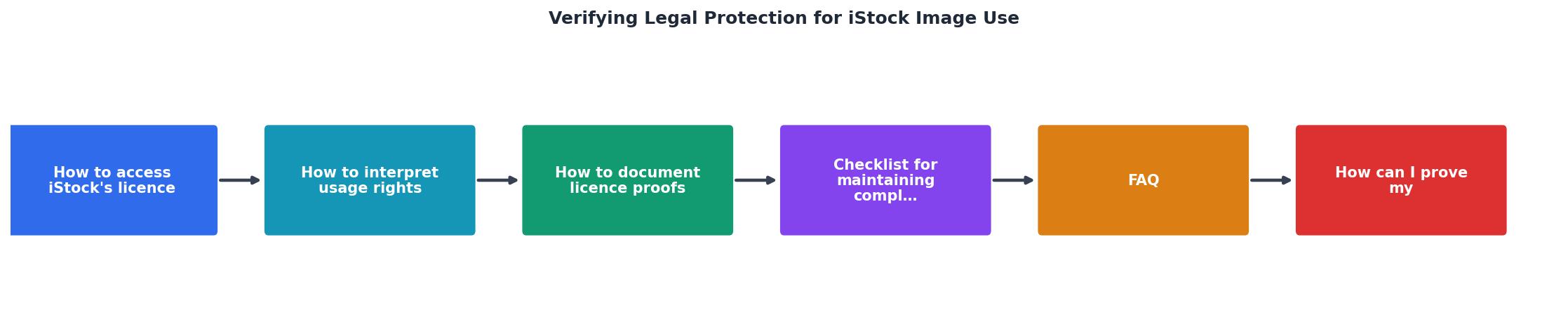
The steps in the diagram are: Download image > Check licence type > Match to use case > Capture proof > Store with project. If the licence type does not match the use case, the flow loops back to upgrade or replace the image before proceeding.
Here is an example of what a documented licence proof record looks like for a typical freelance project:
iStock Licence Proof Record
Compliance checklist
Use this checklist every time you add an iStock image to a project. It takes under five minutes and eliminates the panic of a late-night licence request from a client.
iStock Licence Verification Checklist
Your progress is saved automatically in your browser.
FAQ
Frequently Asked Questions
Additional Resources
- License Agreement - View iStock's content license agreement for details on how you can use iStock images, vectors, video footage and audio clips for personal or commercial use.
- Terms of Use - iStock - This agreement governs your use of the iStockphoto website. To learn about usage rights for our royalty-free content, please read our Content License Agreement.
- Understanding Stock Photos: Image licensing - You can't just use someone else's photos without permission. With a few exceptions, you need to obtain image usage rights via an image licensing agreement.
Need to Download Your Licences?
Save hours of manual work. We download all your stock photo licence certificates for you.
Get Started“Thanks to LicenceDownloader.com, I was able to download more than 1,000 Freepik licences and receive them all at once via ZIP.”
Marlon Mainardy